Link biometric devices
You can link more devices to your ME ID. It's quite simple. If your CURRENT device didn't link to your ME ID, you can link it in just a few steps.
Let's see how it will be done. We suppose that you are currently logged in with your Ethereum wallet.
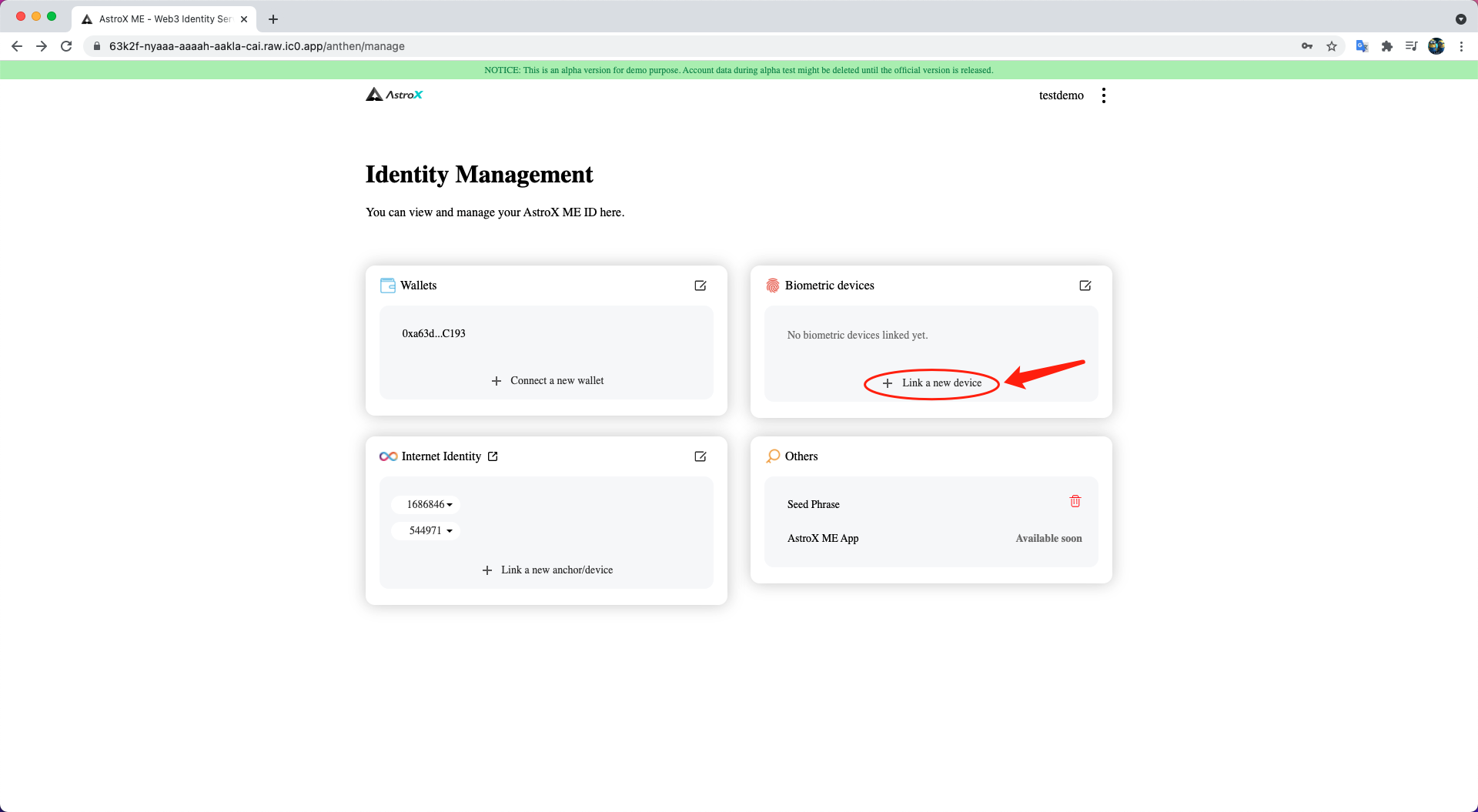
Link a new device on which you have signed in
STEP 1: Click 'Link a new device' button.
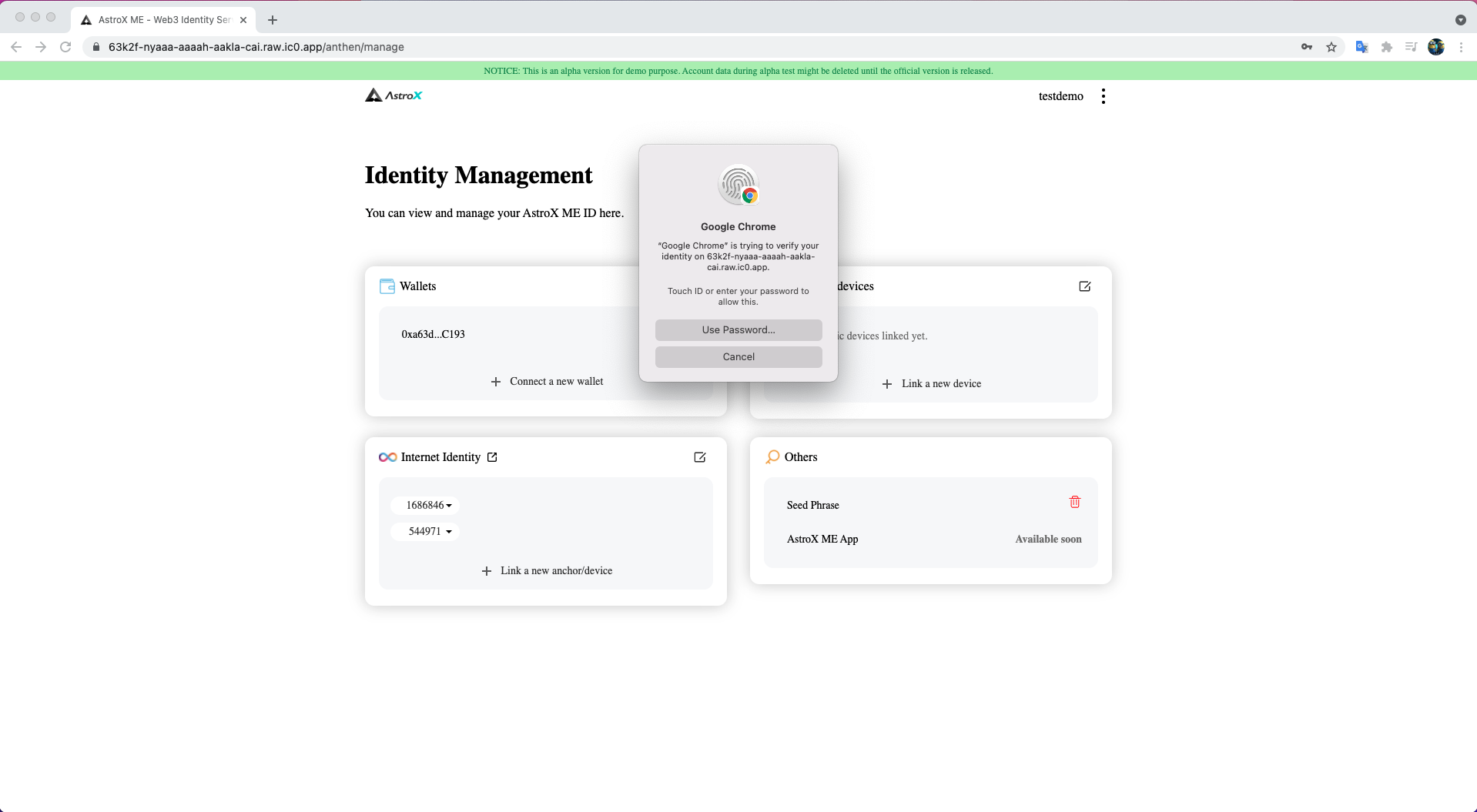
STEP 2: Select your verification method and verify.
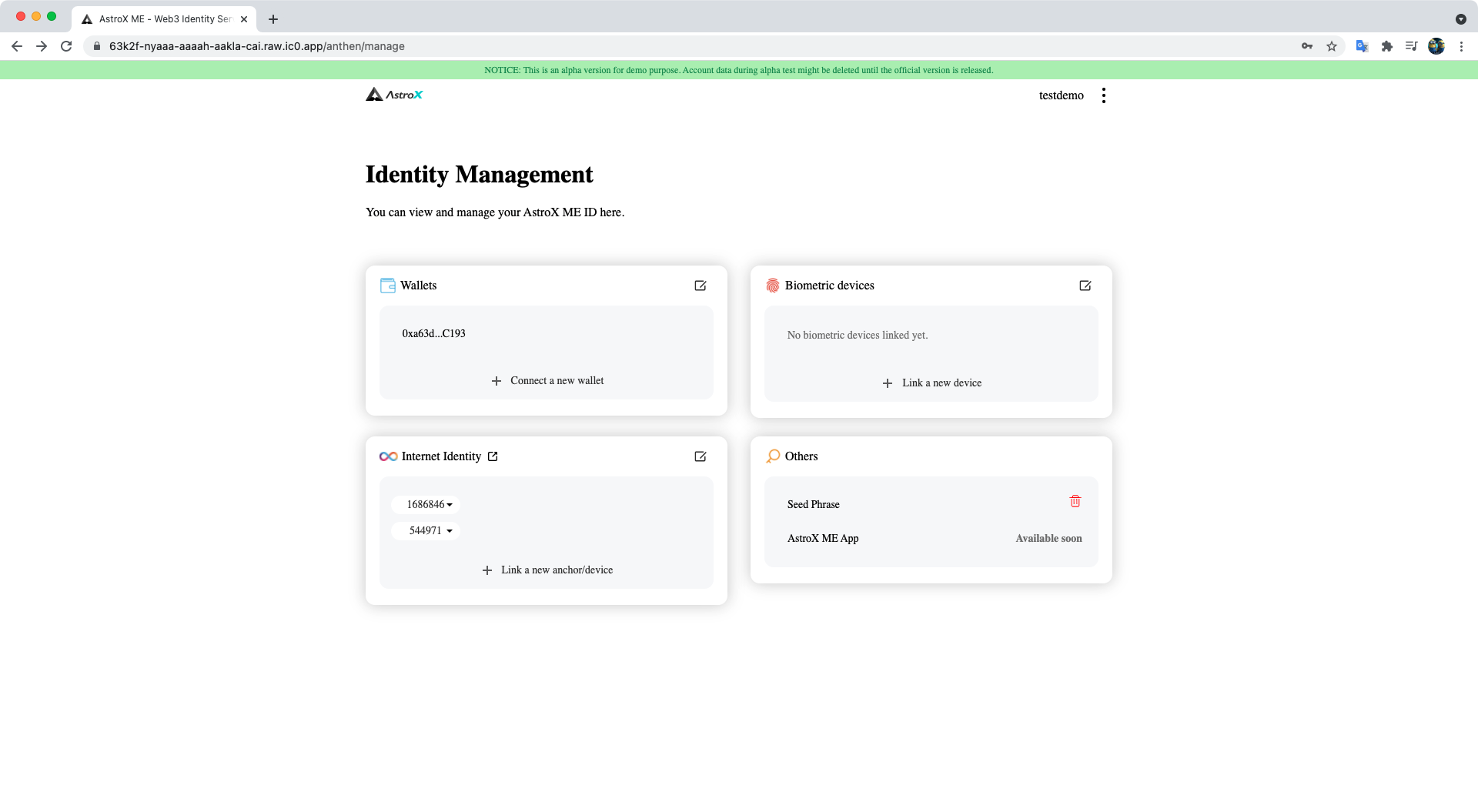
STEP 3: Enter your new device name.
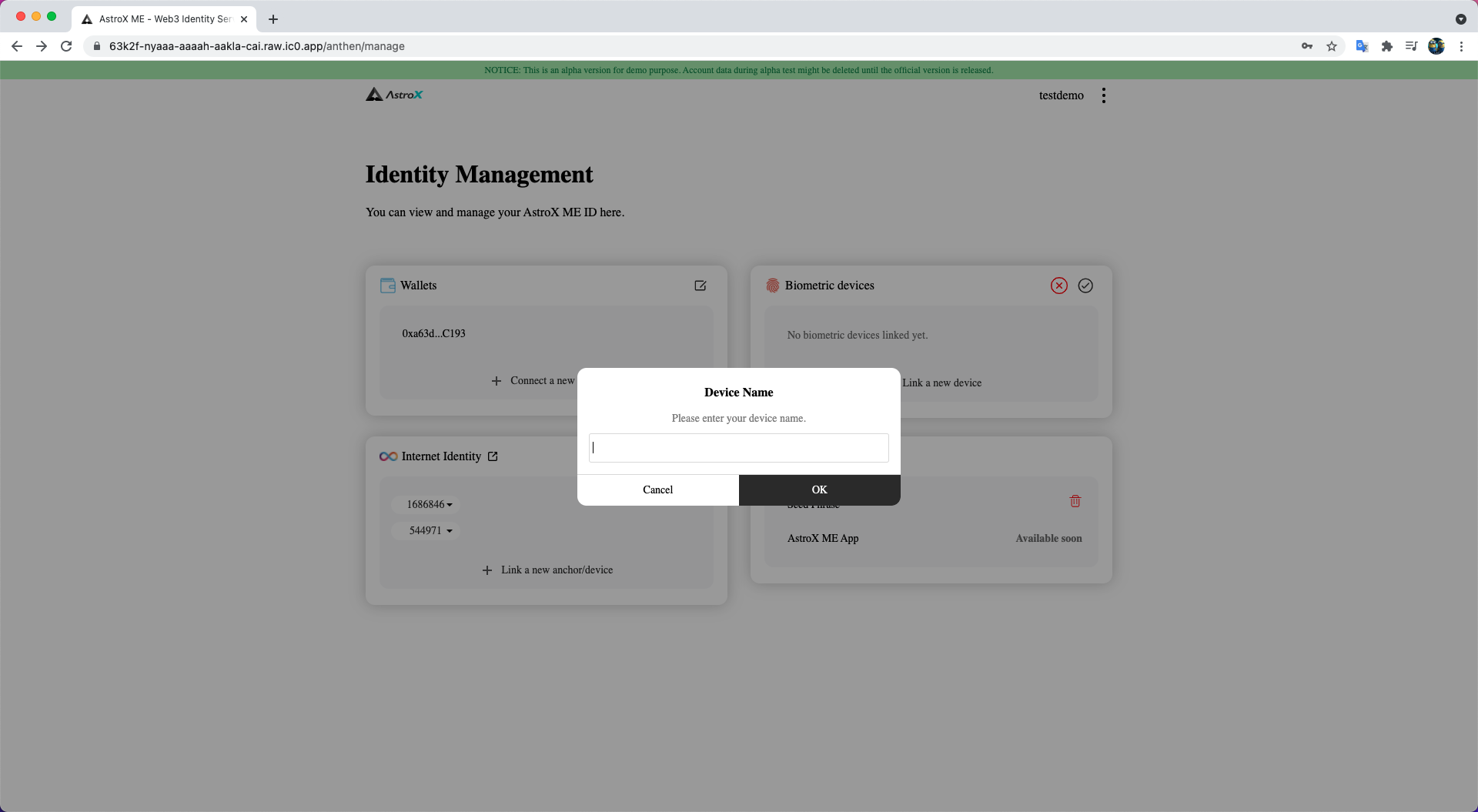
STEP 4: Voilà 🎉
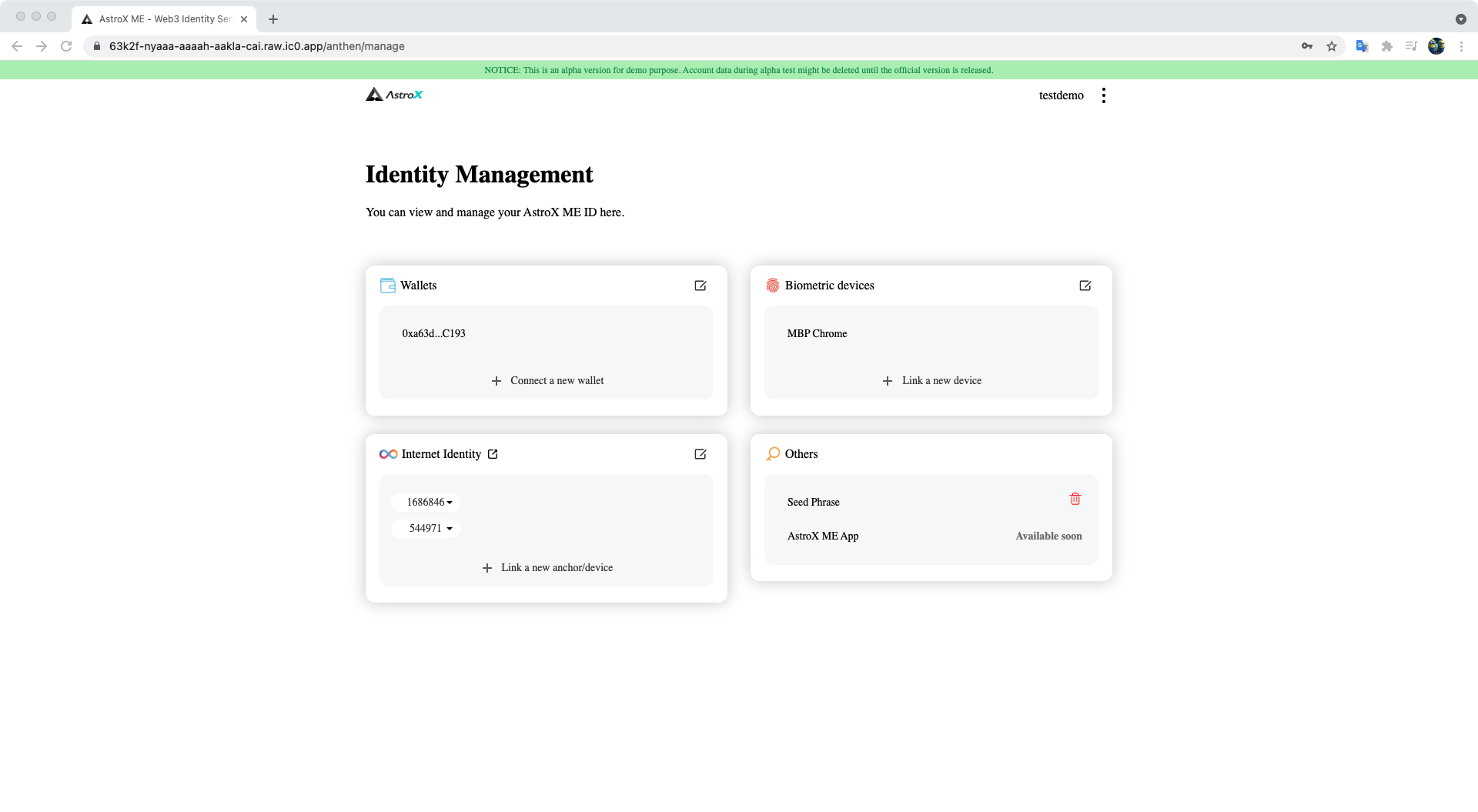
Link a new device on which you didn't sign in
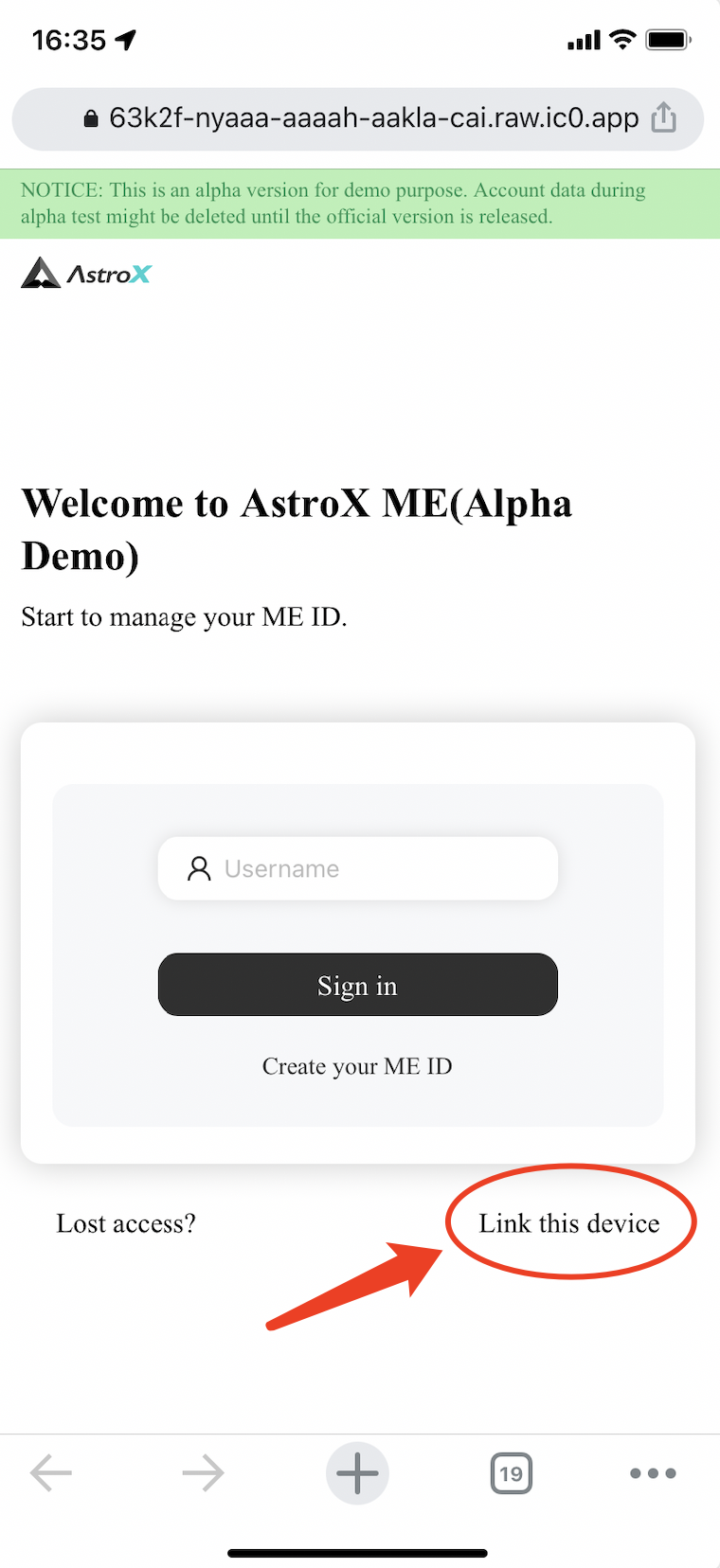
STEP 1: Click the 'Link this device' button.
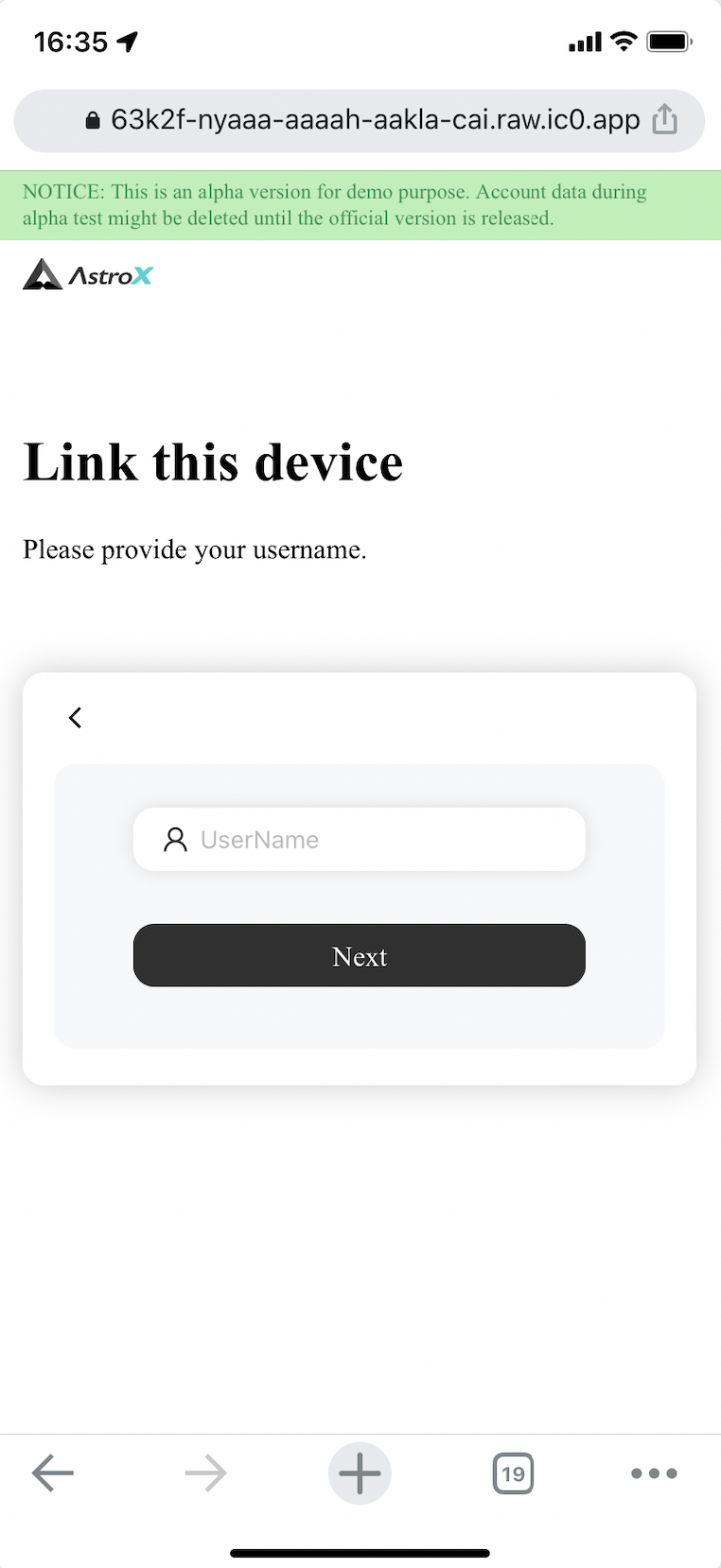
STEP 2: Enter your username that you want to link with and verify by biometric methods.
STEP 3: Copy the URL and open on an already signed up device.
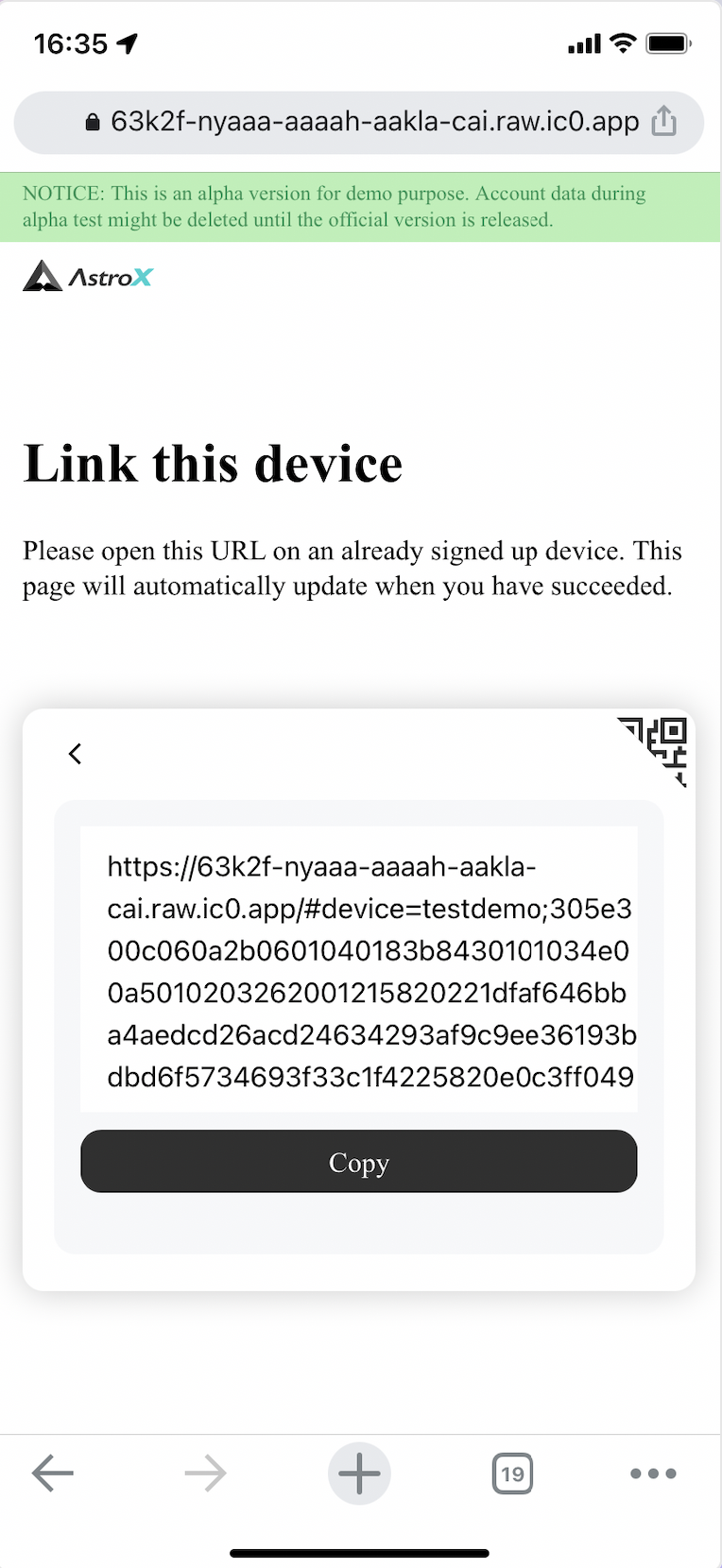
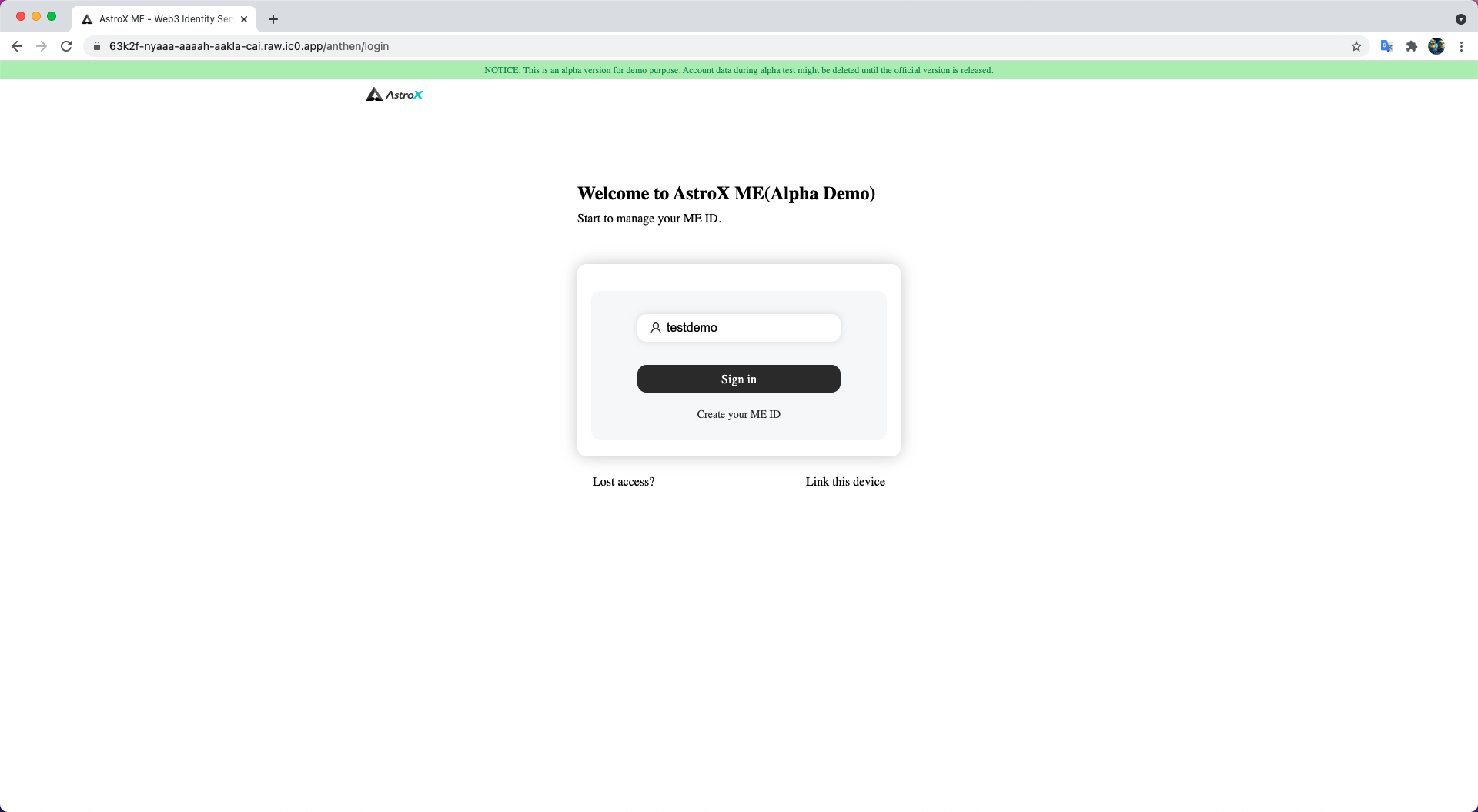
STEP 4: Sign in your ME ID.
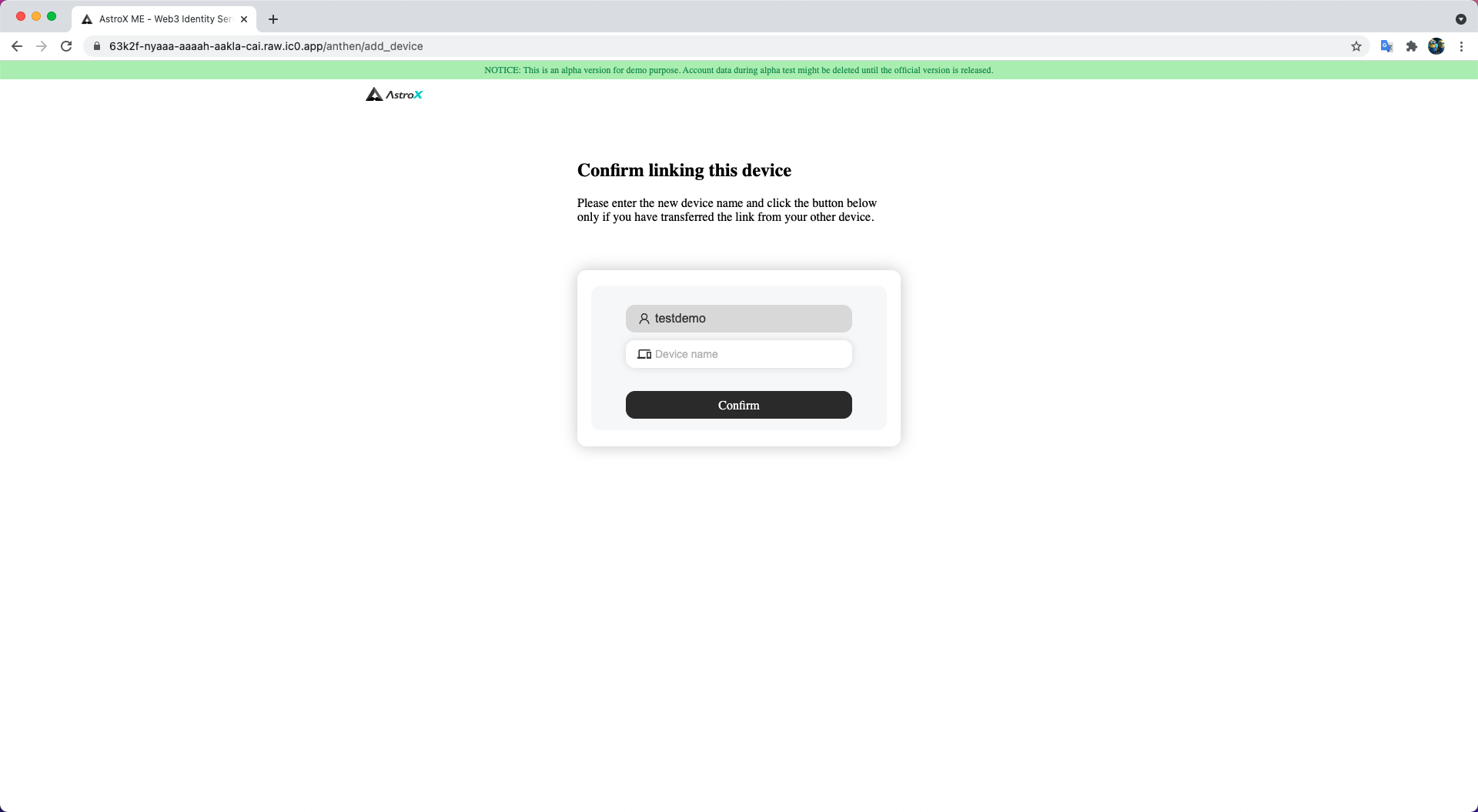
STEP 5: Enter your new device name and confirm.
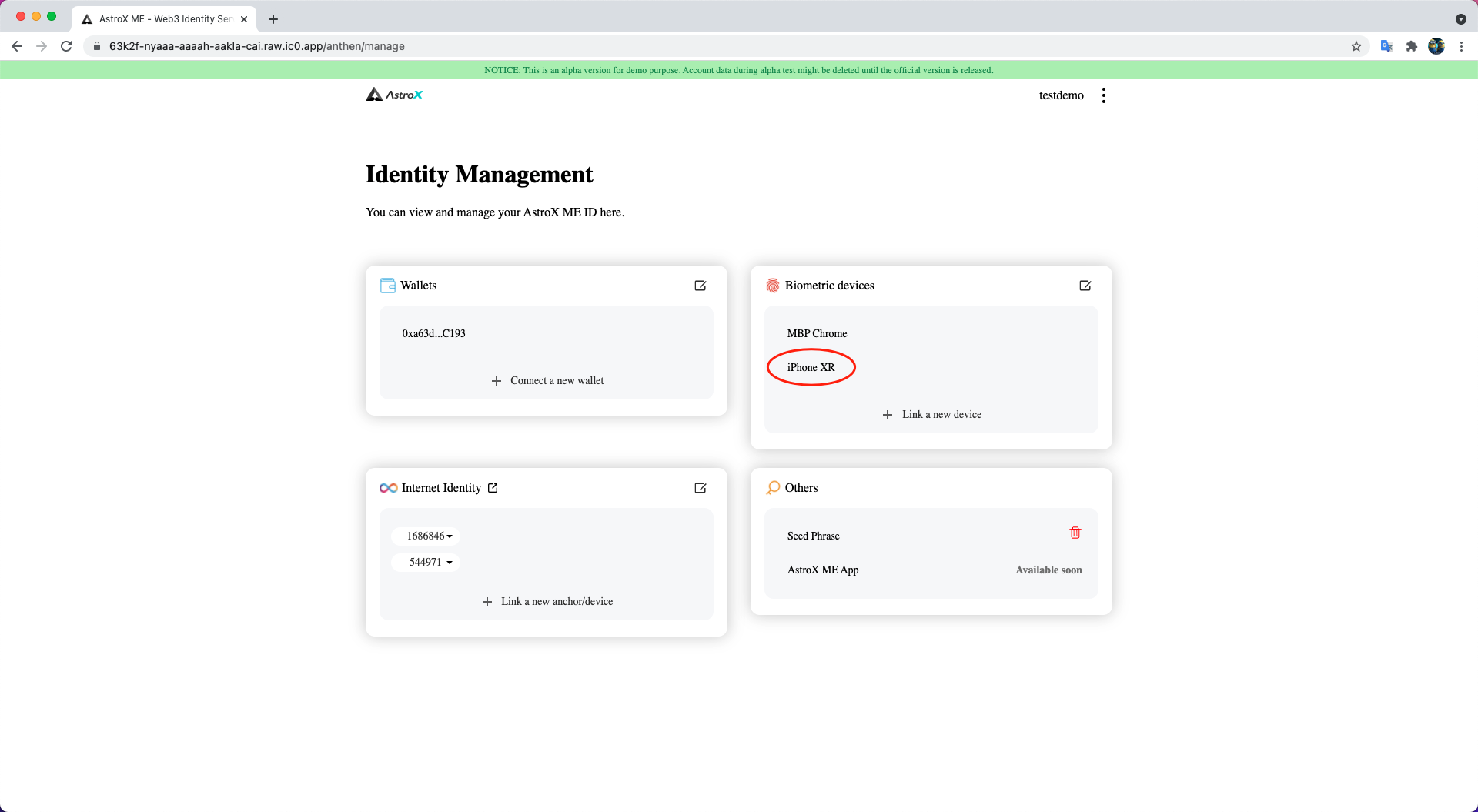
STEP 6: Voilà! 🎉
A new device has been linked successfully.
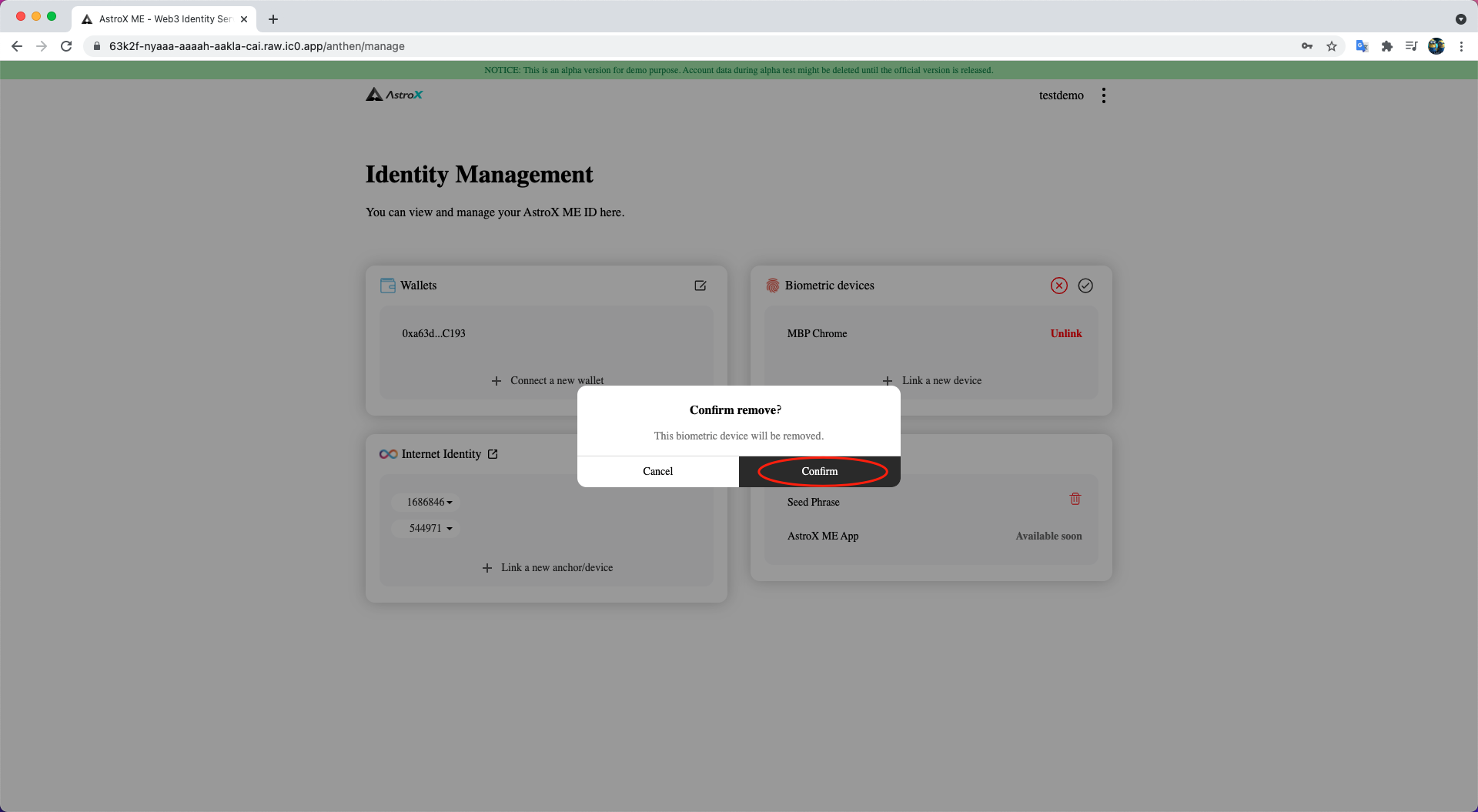
Unlink your device
STEP 1: Click 'Edit' button.
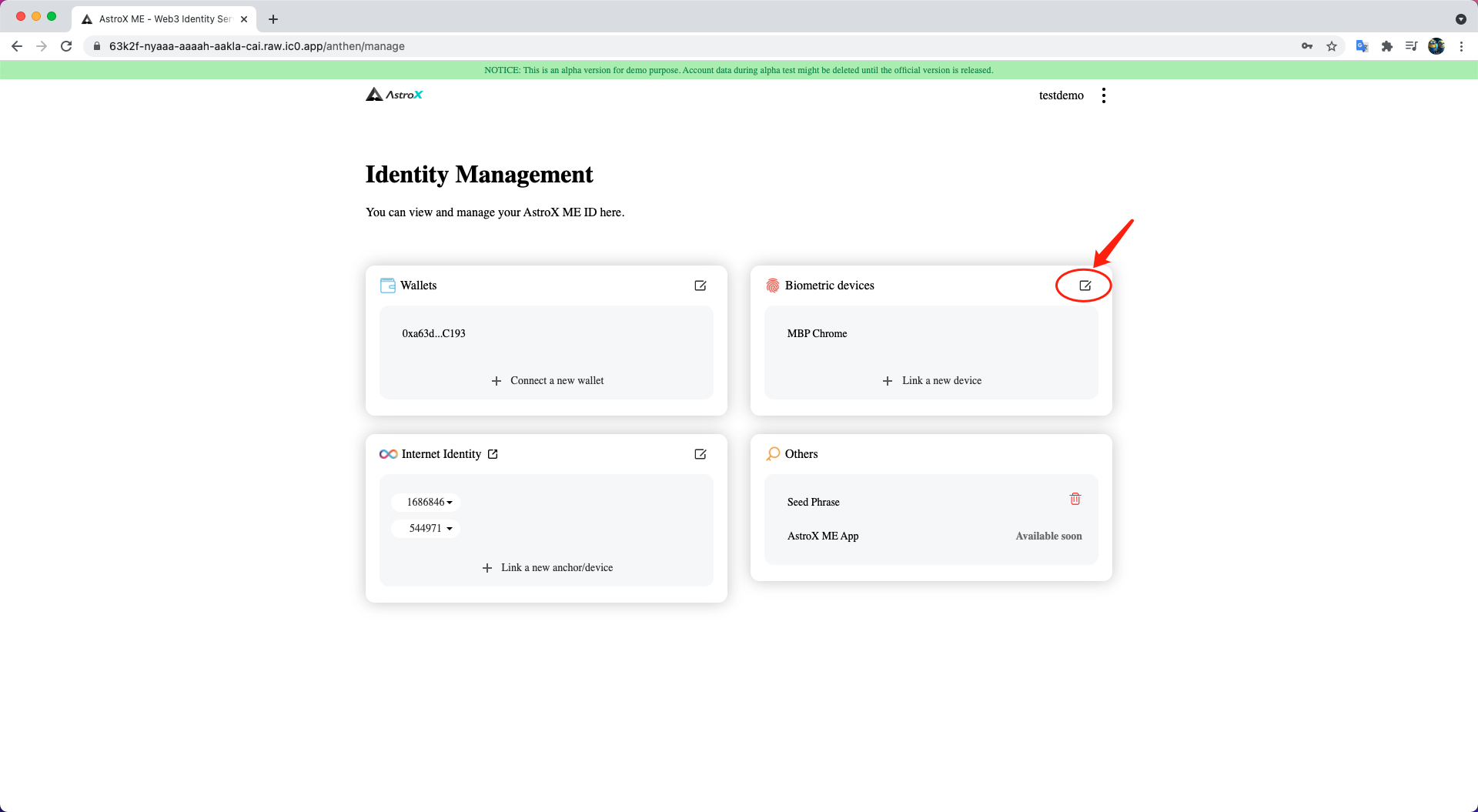
STEP 2: Click 'Unlink' button in line with the device you want to unlink.
Notice: You can not unlink the device you are currently logged in with.
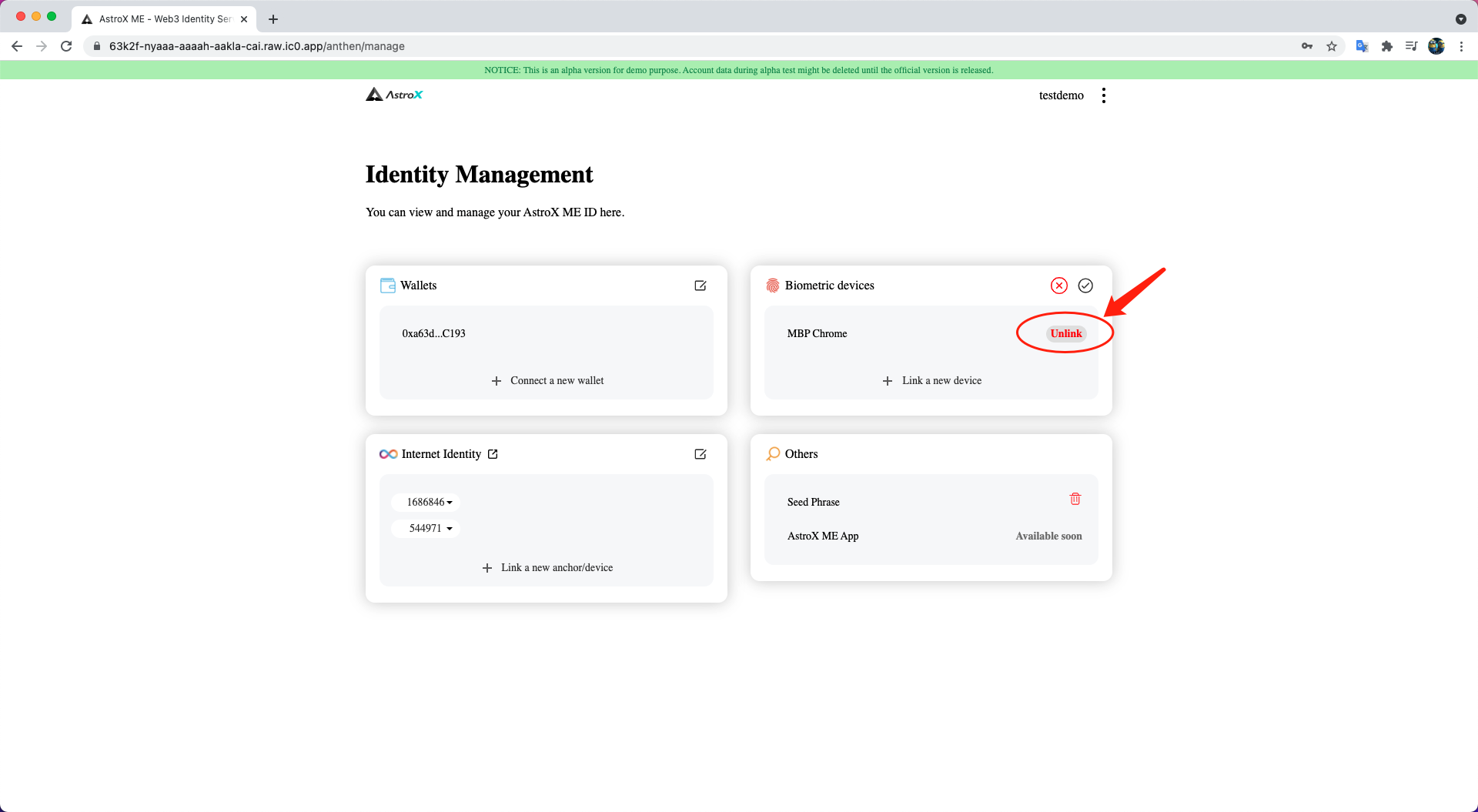
STEP 3: Click 'Confirm' button and done.
The list will be refreshed in a few seconds.